Repeating Events and Tasks
Repeating events and tasks reoccur at regular intervals (such as every day, every week, or every month).
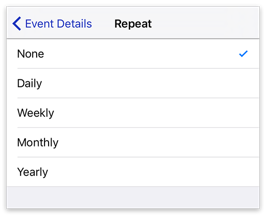
To make an event or task repeat, tap Repeat in its Event Details view and then tap a repeat interval: None, Daily, Weekly, Monthly, or Yearly.
note
Unlike the Mac version of BusyCal, the iOS version does not support custom repeats. However, custom repeats set on your Mac do sync correctly to BusyCal for iOS.
Repeating tasks work differently from repeating events. The calendar shows every occurrence of a repeating event, but only the next uncompleted occurrence of a repeating task. The next occurrence appears after you complete the current one. For more about repeating tasks, see Repeating Tasks.